
Chess for friends
Play chess with friends online in a room that feels like yours
Send one private link, approve your friend, and settle in for a real match with clocks, conversation, reactions, rematches, and a history you can revisit together.
Made for people you know
Online chess can still feel personal
Playing a stranger is useful for quick competition, but playing a friend has a different purpose. You may want to talk during the opening, laugh about a blunder, pause between games, or replay the position that decided the match. ChessTV supports that slower, more social rhythm. It gives two known players a private place where the board and their connection belong together.
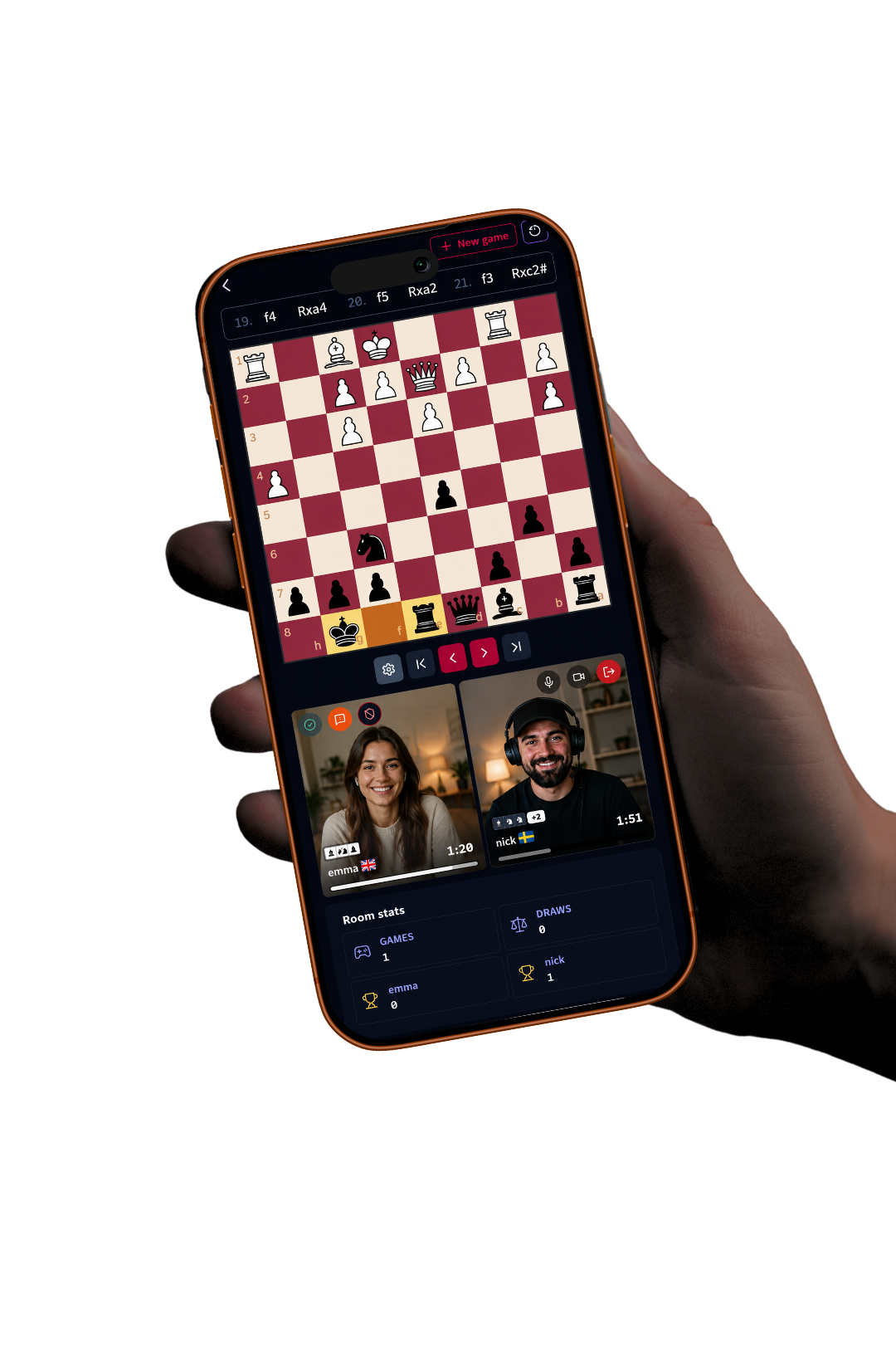
The room is reached through an invitation rather than a public pairing queue. The creator reviews the join request before admitting the second player. Once both are present, they can use compact camera views, voice, or text chat while keeping the chessboard large and playable. It is particularly useful when your normal chess friend lives elsewhere or when meeting in person is inconvenient.
A complete friendly match
Everything needed from first game to rematch
Friendly does not have to mean incomplete. ChessTV includes clocks, selectable time controls, color choice, legal move handling, pawn promotion choice, premoves, and a visible last-move highlight. Draw offers are attached to a player’s move, and the opponent can accept or decline without a modal blocking the board. Resignation also asks for confirmation, preventing a misplaced tap from ending the game.
After the result, the players can review the move list or use the navigation arrows to step through the game. Move and capture sounds work during review as well as live play, helping each position change feel immediate. The completed game appears in room history, where its result and PGN remain available. Room statistics give both friends a simple record of wins, draws, and games played.
- Choose colors and a clock together
- Talk by camera, voice, or chat
- Review moves and download PGNs
- Keep a running record of your friendly rivalry
Good online etiquette
A room that supports friendly play instead of distractions
Because you know your opponent, you may want different boundaries from a rated public game. Some friends chat throughout; others mute during calculation and speak after the result. ChessTV lets each player control microphone and camera independently. The media buttons are placed near the board controls, visible without intruding on the squares, including on smaller mobile screens.
The room also makes important game actions deliberate. Offering a draw before moving prepares the offer and sends it with the move, which follows familiar online chess behavior and reduces repeated interruptions. The receiving player sees a compact notification beneath the board. They can continue examining the position while deciding, and making a move naturally declines the pending offer.
Return to the same rivalry
Keep the memories, positions, and score
A memorable chess friendship is built over many games. One player learns the other’s favorite opening; a recurring endgame becomes an inside joke; the lead in the match changes over time. Room history makes those games easy to find without requiring both players to save files manually. Even when only one player is currently present, existing statistics and previously joined player details remain useful.
You can use the room for a weekly match, a spontaneous blitz break, or several longer games in one evening. The shared history provides context when you return. Instead of starting from an empty lobby every time, you see the record of the rivalry and can reopen an earlier game before offering the next one. That makes online chess with a friend feel continuous and intentional.
Frequently asked questions
Useful answers before you play
How do I invite a friend?
Create a private room, copy its invite link, and send it directly to your friend. You approve their join request before they enter.
Can my friend join for free?
Yes. The room creator needs ChessTV Pro, but an invited guest can join and play with a free account.
Can we talk while playing?
Yes. The room supports live voice, optional camera, and text chat alongside the chessboard.
Does the room keep our score?
Completed games contribute to room statistics for total games, draws, and each player’s wins, and they remain in game history.
Invite your next opponent
Create a room for a friend, choose a time control, and turn an ordinary online game into a shared chess session.
Create a ChessTV room